Creating Your First Connection
Link your affiliate platform — Affise, Binom, CAKE, or the built-in Demo — and start pulling live data in minutes.
A **connection** stores API credentials for one tracker—you reuse it on **Stats** and in automations. Supported: Affise (admin or affiliate portal), Binom, CAKE, **Demo** (no keys, doesn’t count toward your plan cap). Admin vs affiliate portal: see docs. Plan caps: Starter 1 · Pro 3 · Pro+ 8 · Business 10 (Demo excluded).
1. Add your tracker connection
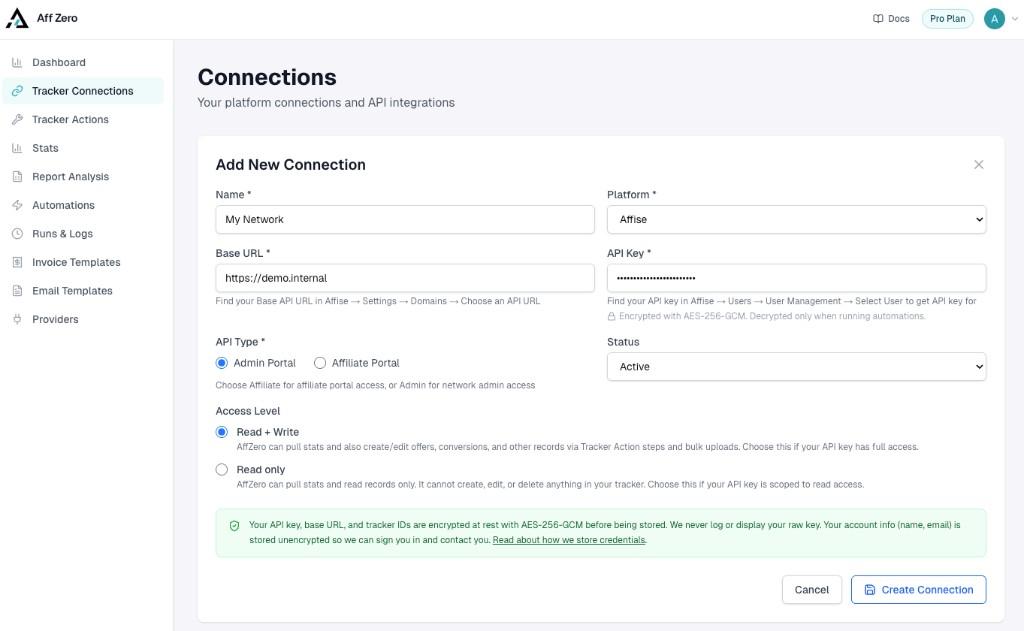
Open Tracker Connections in the sidebar, click Add Connection, pick your platform, and enter the credentials AffZero asks for. On save, we verify the connection immediately — if something fails, double-check the base URL and API key. Your API key, base URL, and tracker IDs are encrypted at rest (AES-256-GCM). We never log or show your raw key. You can edit or delete a connection from the menu on the Connections list; deleting one does not remove automations that still reference it, but those runs will fail until you update them.
2. Pull stats on the Stats page
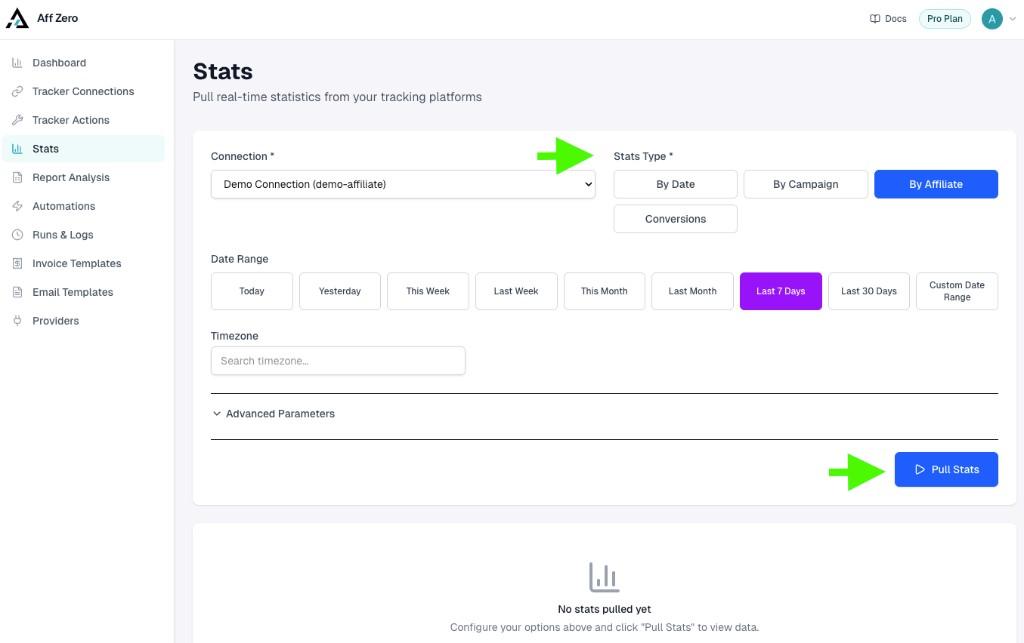
The Stats page runs the same query engine as the Pull Stats step in automations. Use it for quick checks and to confirm date ranges and stat types before you rely on them in a workflow. Choose your connection, pick how to group the data (for example By Affiliate, By Offer, or By Date — options depend on the platform), set a preset or custom date range, adjust timezone if needed, and optionally expand Advanced Parameters to narrow the pull. Then click Pull Stats. Filters are optional: leave them blank to fetch everything for that stat type and range.
Read more
3. Review, sort, and export
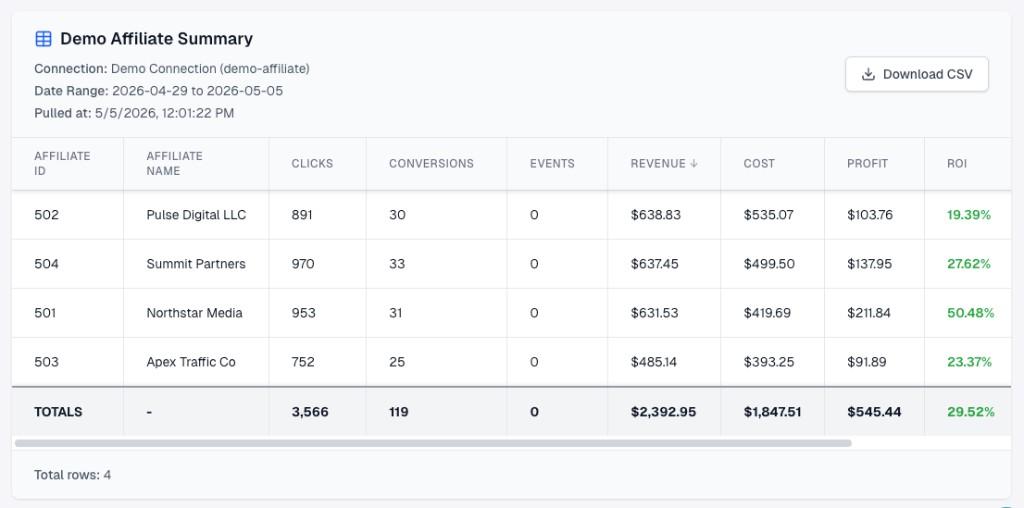
Results appear in a sortable table. Scan performance in the app, or click Download CSV to work with the data elsewhere. That table data is also what becomes available as variables when you use an identical Pull Stats configuration inside an automation. Starting from a working Stats query is the fastest way to trust your first automation.