Gmail & Google Drive Integration
One Google OAuth connection enables Drive saves, Google Doc invoice templates, Sheets exports, and sending mail from your Gmail address in automations.
One **Google OAuth** unlocks Drive saves, **Docs** invoice templates, **Sheets** writes, and **Gmail** sending in automations—not the same as **SMTP** (Providers → Email Service). Connect under **Providers → Gmail + GDrive**; grant **all** scopes on Google’s screen. Multiple accounts: Starter 1 · Pro 2 · Pro+ 3 · Business unlimited; one is **Primary**.
1. Open Providers and add an account
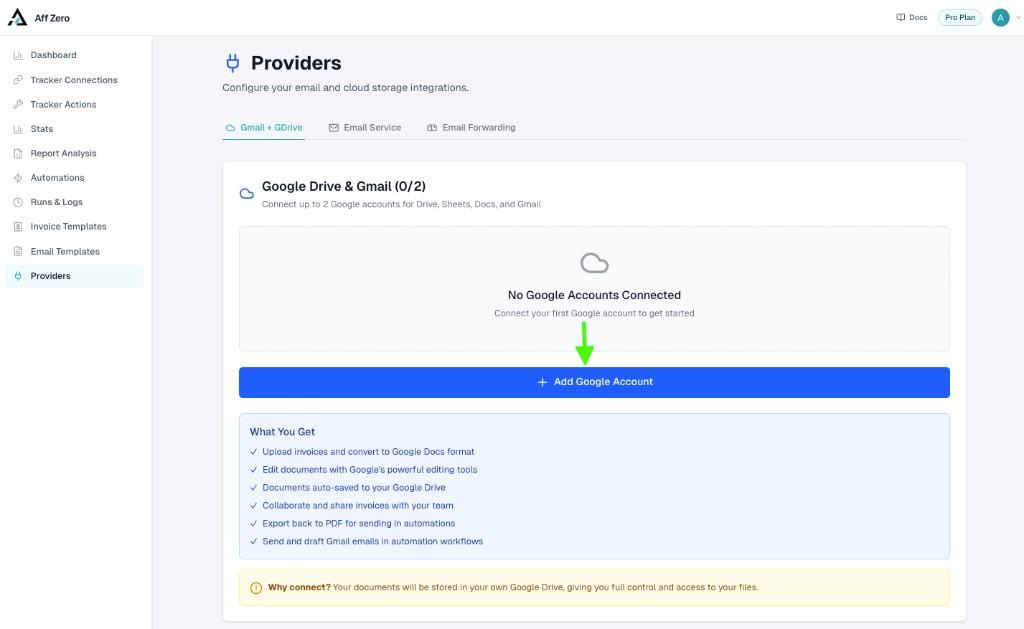
Go to Providers → Gmail + GDrive. If nothing is connected yet, click + Add Google Account. The counter (for example 0/2 on Pro) shows how many slots you have left.
2. Review AffZero’s consent summary
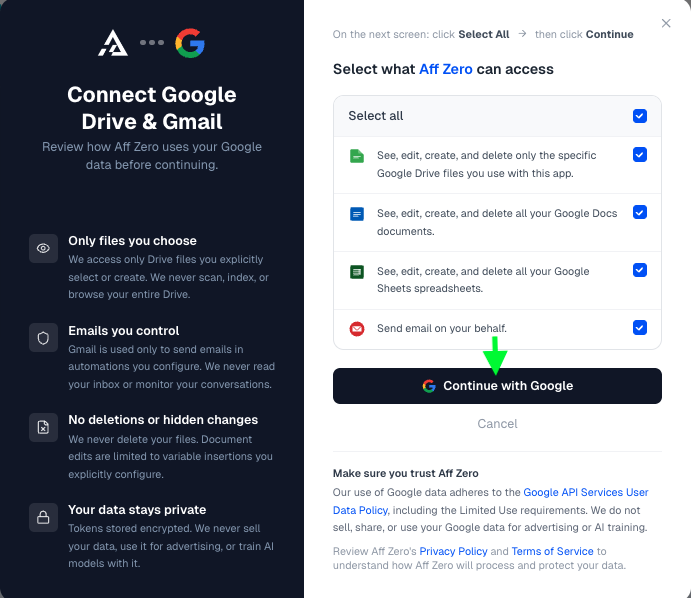
The in-app modal spells out what we request and why: narrow Drive access to files you pick or create through AffZero, Docs/Sheets where needed, and Gmail send on your behalf. When you are ready, click Continue with Google to start Google’s sign-in.
3. Approve Google’s permissions
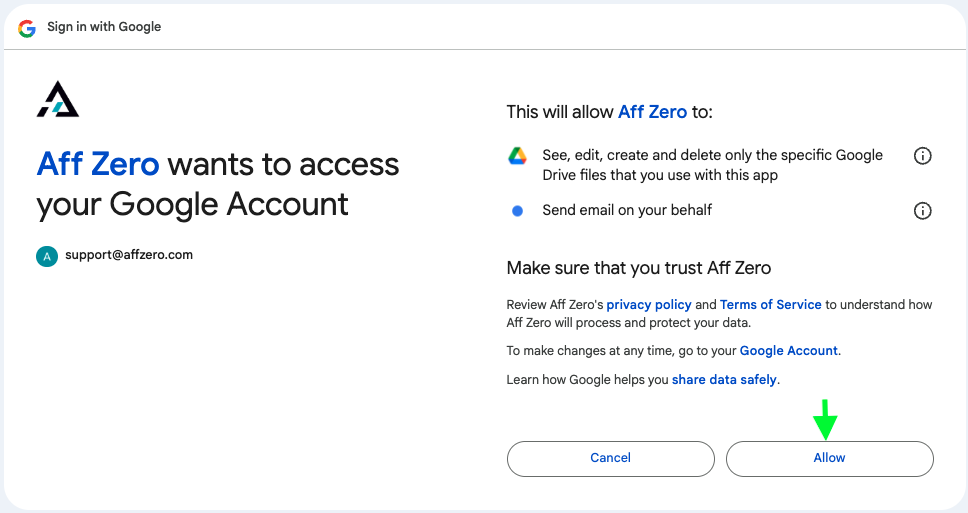
Pick the Google identity you want automations to use, then on the permissions screen choose Select all (or equivalent) and Continue. Skipping a scope—say Sheets—means features that depend on it will fail mysteriously later.
4. Confirm the account in AffZero
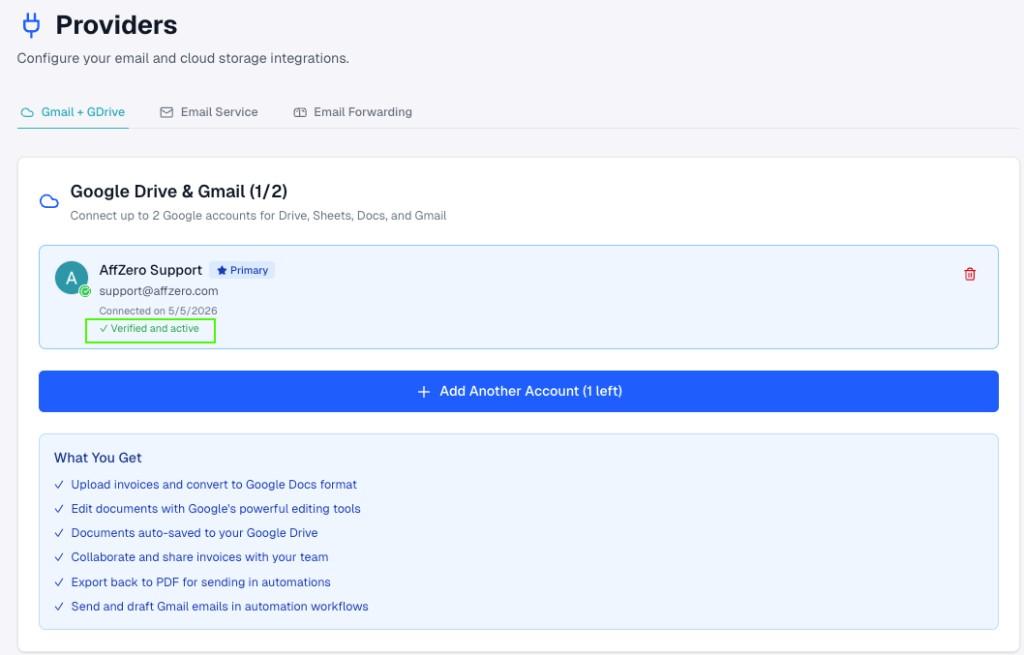
You’ll see **Verified and active**, **Primary** on the first account, **Add Another Account** until you hit the plan limit, and disconnect via the trash icon—automations still pointing at a removed account need updating.