
SMTP Email Integration
Add Gmail, Outlook, Yahoo, iCloud, or any SMTP server under Providers → Email Service—then pick the account in every Send Email step.
**Providers → Email Service** adds SMTP senders for **Send Email** steps. Need **Drive / Docs / Sheets** too? Use **Gmail + GDrive** OAuth instead—SMTP is send-only here. Passwords are encrypted; one account can be **Primary**. Inbound **Email Received** uses **Email Forwarding**, not this tab.
1. Pick your provider
Click **Gmail**, **Outlook**, **Yahoo**, **iCloud**, or **Custom** to pre-fill host and port and surface provider-specific hints. Most consumer hosts use port **587** with TLS/STARTTLS; **465** is the SSL alternative.
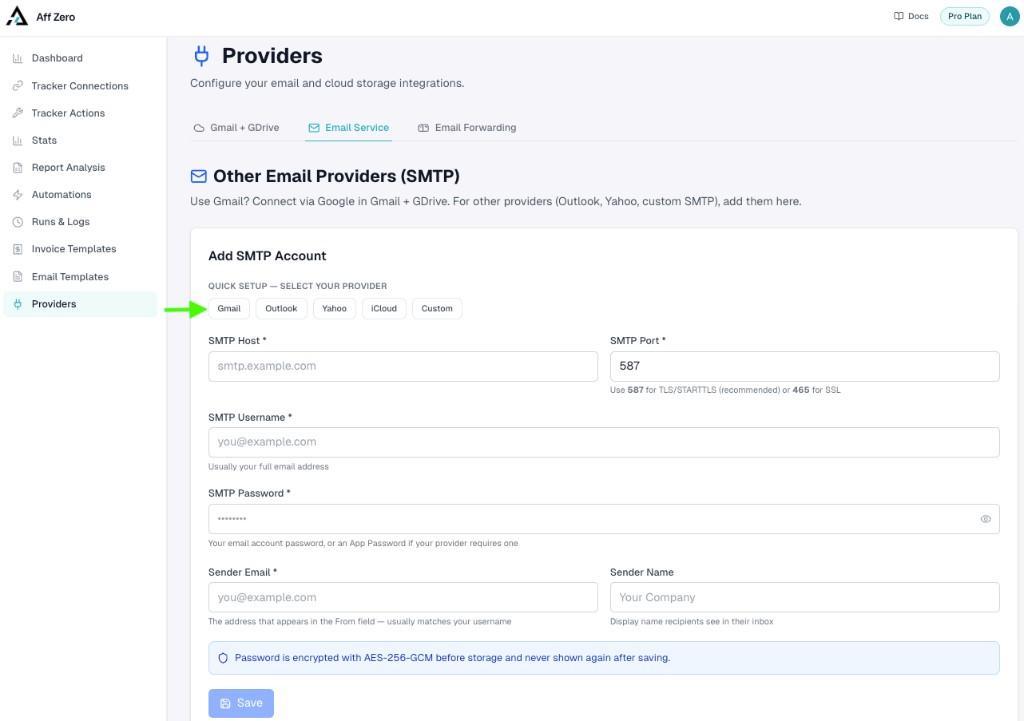
2. Example: Gmail with an App Password
Google does not allow your normal password for SMTP. Turn on **2-Step Verification** in Google Account → Security, then create an app password at **myaccount.google.com/apppasswords** (name it e.g. AffZero), copy the **16 characters** with spaces removed, and paste into **SMTP Password**. Use your full address as **SMTP Username** and **Sender Email** (they must match for Gmail), pick a **Sender Name** for the inbox preview, and **Save**. The account appears under Send From in Send Email steps. Workspace users: if App Passwords are missing, your admin may have disabled them—ask for an exception or use OAuth via Gmail + GDrive.
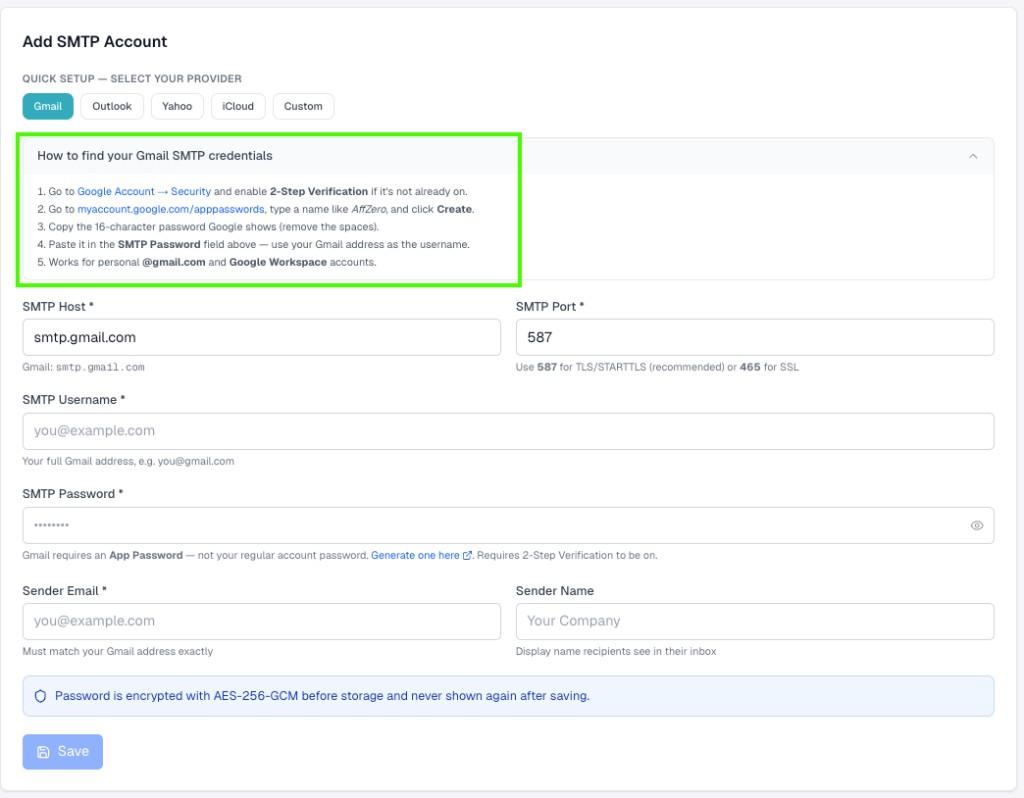
3. Other presets (quick reference)
**Outlook / Hotmail:** `smtp-mail.outlook.com`, port **587**, full email as username; use a Microsoft app password if 2FA is on; confirm SMTP is allowed in Outlook settings. **Yahoo:** `smtp.mail.yahoo.com`, port **587**, Yahoo **app password** after enabling two-step verification. **iCloud:** `smtp.mail.me.com`, port **587**, Apple **app-specific password** from appleid.apple.com. **Custom:** Enter host/port from your IT or ESP; **587** STARTTLS is the usual default. If authentication fails, double-check app passwords vs account passwords, remove stray spaces, and verify the username is the full address.