Invoice Numbering
Configure one global sequence so `{global_invoice_number}` is issued inside every Create Invoice step—no duplicate Generate step unless you need a separate local series.
**Invoices → Invoice Numbering** sets the shared **`{global_invoice_number}`** chain used inside **Create Invoice** (no extra step). Numbers advance only when that step runs. For a **second** series per automation, use **Generate Invoice Number** → `{invoice_number_local}`. After a manual invoice, **Edit Last Used Number**. Heavy patterns may use **AI**—see **Settings → Usage**.
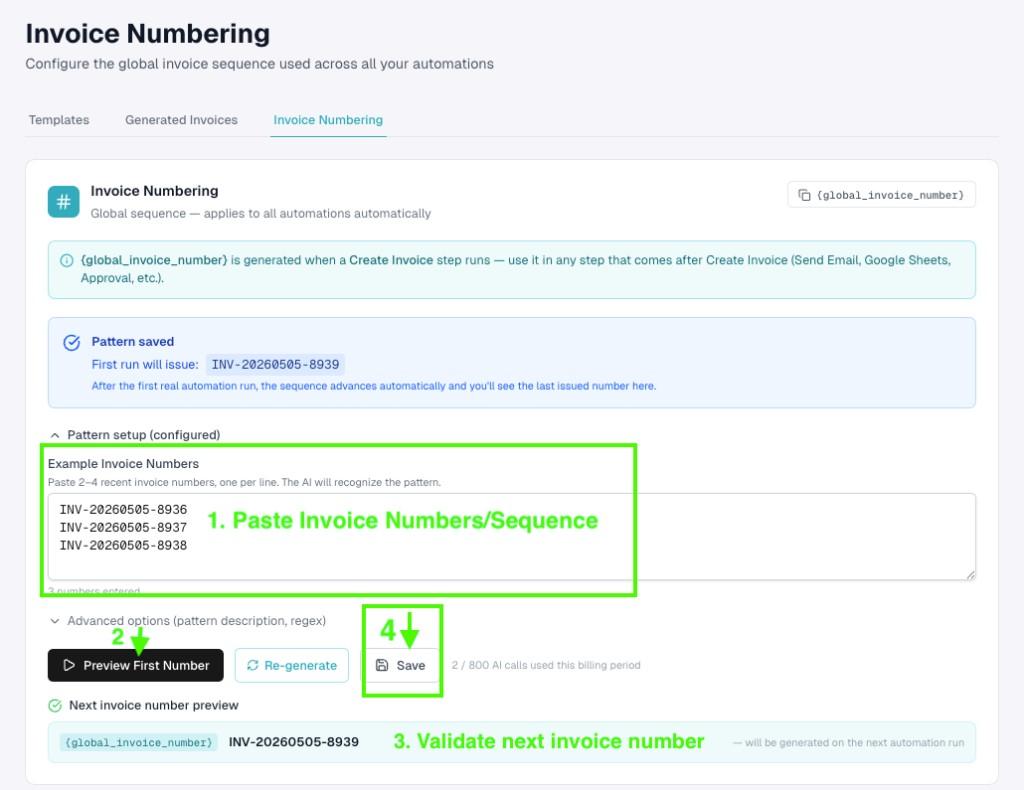
1. Paste examples and preview
Enter **2–4 recent invoice numbers** so the system infers padding, date segments, and prefixes (`INV-045…`, `INV-2026-001…`, `ACME/2026/0010…`, etc.). Click **Preview First Number** (and **Re-generate** if you iterate). Confirm **Next invoice number preview** shows `{global_invoice_number}` with the value you expect, then **Save**. The banner should show **Pattern saved** with the upcoming issue.
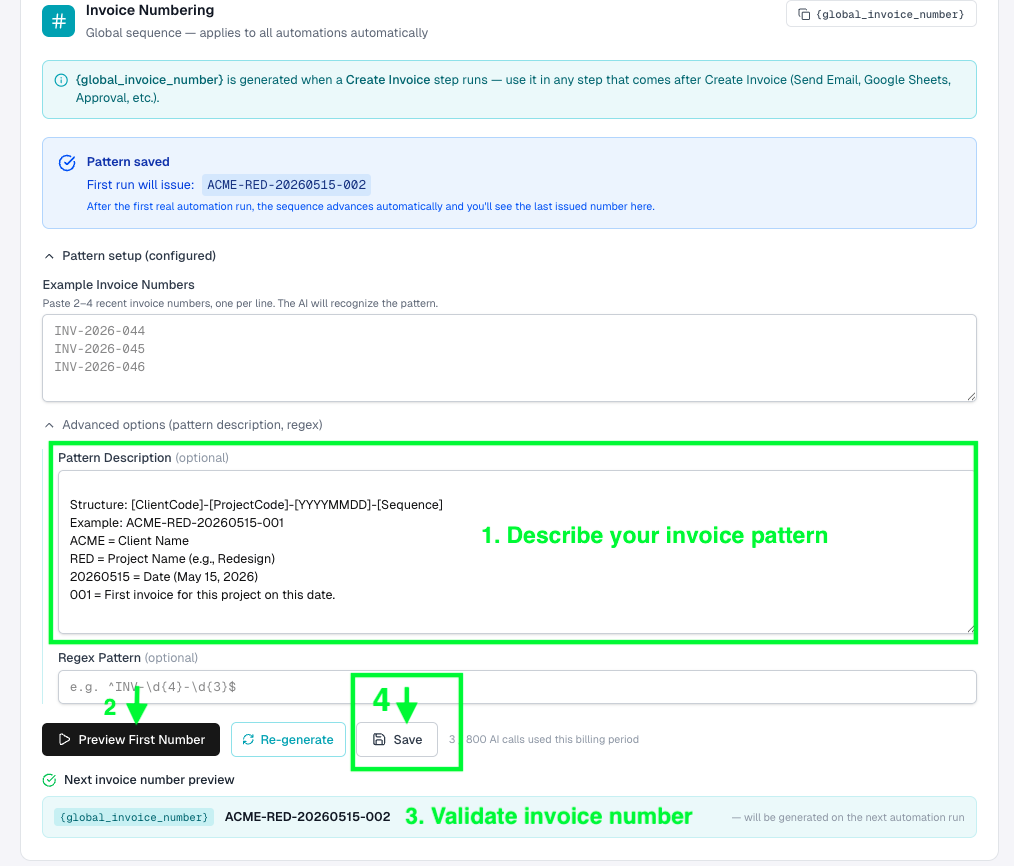
2. Optional: describe the pattern or add regex
Expand **Advanced options** when plain examples are not enough: explain resets (e.g. “Back to 0001 every January 1”) or segment meanings in **Pattern description**, and optionally constrain output with **Regex**. Preview again before saving. Complex rules may consume **AI calls** (counter near **Save**).